
The modern desktop app
for Google Drive.
Drive in a real Mac app, not a browser tab. Native window, real keyboard shortcuts, your whole library exactly where you left it.
A better interface
01 / 04A quieter way to use Google Drive.
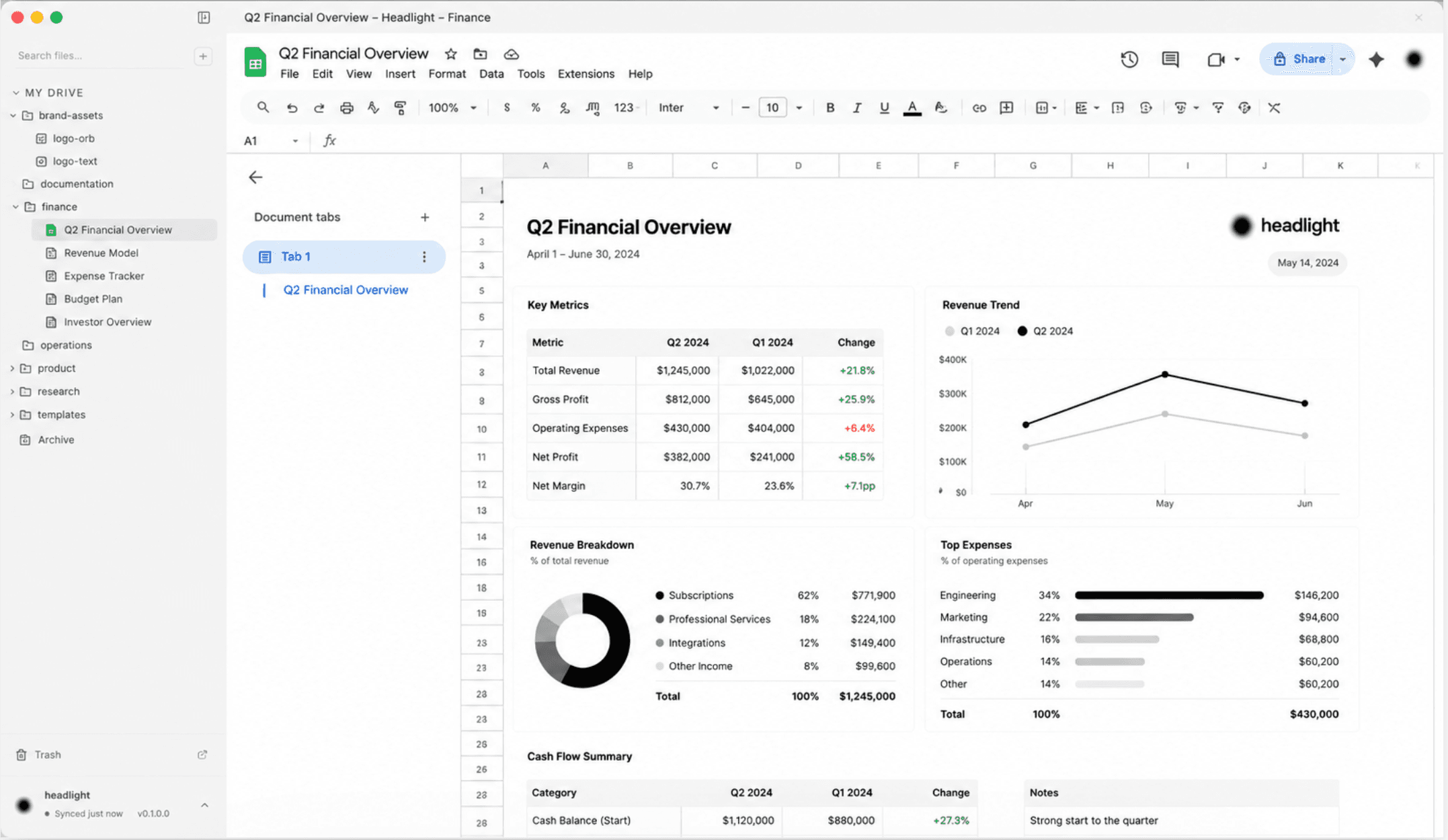
Sidebar on the left, editor on the right. Your file tree, your favorites, your Shared Drives, all in one navigable view. Click a Google Doc, Sheet, or Slides file and it renders inline, fully editable. No new tab.
How it works
02 / 04One window. Your whole Drive.
Sign in with Google
Standard OAuth. The same flow you'd use for any other Drive client. Your token stays in your Mac's Keychain, never on our servers.
Your Drive becomes a sidebar
Personal files, Shared Drives, favorites, search, all in one navigable tree on the left. Click a file, it opens in the panel on the right. No new tabs, no lost context.
Edit anything in one window
Docs, Sheets, and Slides render inline, fully editable. Office files preview. Favorite, rename, trash, drag and drop, multi-select, all from the keyboard.
Before you install
A few things to know.
headlight is in beta, so expect a few rough edges. Intel Macs are not supported in this build. You'll sign in with your Google account on first launch.
- macOS
- 12 Monterey or later
- Chip
- Apple Silicon (M1, M2, M3, or M4)
- Disk
- ~250 MB
- Account
- Any Google account (Gmail or Workspace)
Common questions
04 / 04A few things, before you ask.
Is my Drive data private?
Yes. headlight is a desktop app. Your files go directly from Google to your Mac. We don't have a server in the middle and we don't store, transmit, or read your file content. Your OAuth token lives in your macOS Keychain. You can revoke headlight any time from your Google account.
Is this affiliated with Google?
No. headlight is an independent third-party Mac client for Google Drive. It uses Google's official Drive API the same way other Drive apps do.
Mac only?
Yes, for now. Built on Electron, currently shipping Apple Silicon builds only (M1, M2, M3, and M4). Intel Macs, Windows, and Linux aren't supported in this build.
How much will it cost?
Free during the beta. Pricing for general release is still being figured out. Early users will get a heads-up before anything changes.